

The bronID tools offer a degree of flexibility, allowing you to customise some of the IDV rules and the types of data/documents that are acceptable in accordance with your internal KYC/KYB procedures for identity verification.
To configure the IDV rules according to your unique verification needs, simply follow these steps:
- Log into your bronID Portal account.
- Open Settings from the left-hand menu.
- Under Compliance, select IDV Rules.
- Use the toggle button or drop-down menu to configure any of the listed rules so they align with your internal KYC/KYB procedures for identity verification.
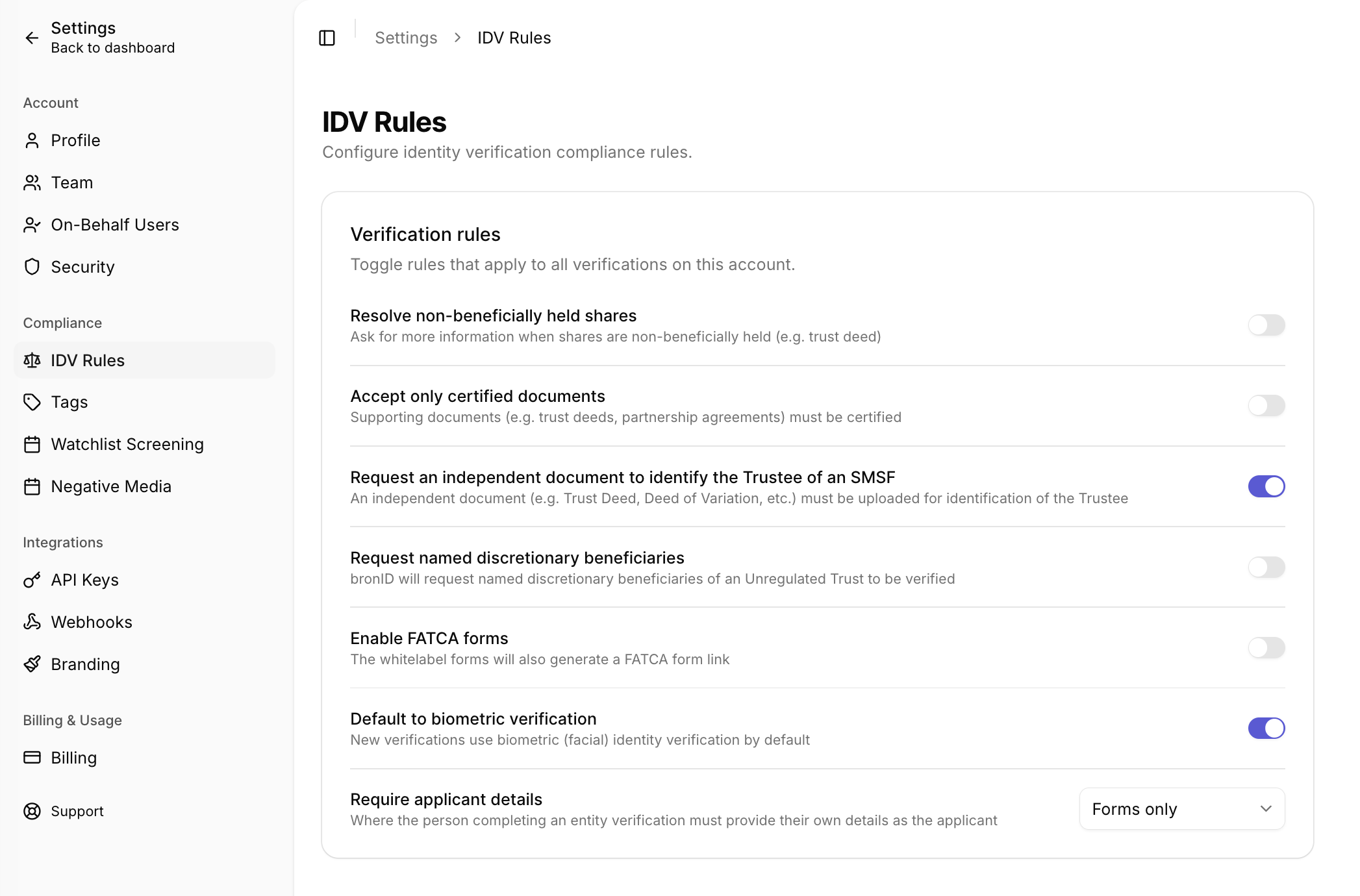
By configuring the IDV rules in this way, you can tailor the identity verification process to align with your organisation's internal KYC/KYB procedures, enhancing the accuracy and efficiency of the verification process.
The available rules include:
- Resolve non-beneficially held shares: If this toggle is turned on, bronID will request a Trust Deed for shares that are listed as non-beneficially held in the register records (applies only to 25% or more shareholding).
- Accept only certified documents: If this toggle is turned on, bronID will only accept certified copies when executing a KYB procedure on entities where a document upload is required (e.g. trusts, partnerships).
- Request an independent document to identify the Trustee of an SMSF: If this toggle is turned on, a reliable independent document (e.g. Trust Deed, Deed of Variation, etc.) must be uploaded, and bronID must confirm that the entered Trustee of the SMSF is correct in accordance with the documents.
- Request named discretionary beneficiaries: If this toggle is turned on, bronID will request all named discretionary beneficiaries for verification when processing Discretionary Trusts (Unregulated Trusts).
- Enable FATCA forms: If this toggle is turned on, the whitelabel forms will also generate a FATCA form link.
- Default to biometric verification: If this toggle is turned on, new verifications will use biometric (facial) identity verification by default. This will also affect all KYCs executed as part of a KYB, for example when verifying the UBOs.
- Require applicant details: This option determines where the person completing an entity verification must provide their own details as the applicant. Unlike the other rules, this is a drop-down selection rather than a toggle (e.g. "Forms only"). If applicant details are provided, the applicant will also be verified.
Please note that turning some of the IDV rules on or off may incur an additional monthly surcharge in accordance with bronID's pricing.


