

In bronID, tags serve as flexible identifiers for organising your KYC and KYB submissions. They can represent different aspects like products, funds, or other groupings within your organisation. Nested tags allow you to create a hierarchy of tags for detailed organisation. For instance, under a primary tag like "Products", you might have nested tags such as "Remittance", "Investment", and "Corporate Trustee".
Creating and Managing Tags
1. Accessing the Tags settings:
- Log into your bronID Portal account.
- Open Settings from the left-hand menu.
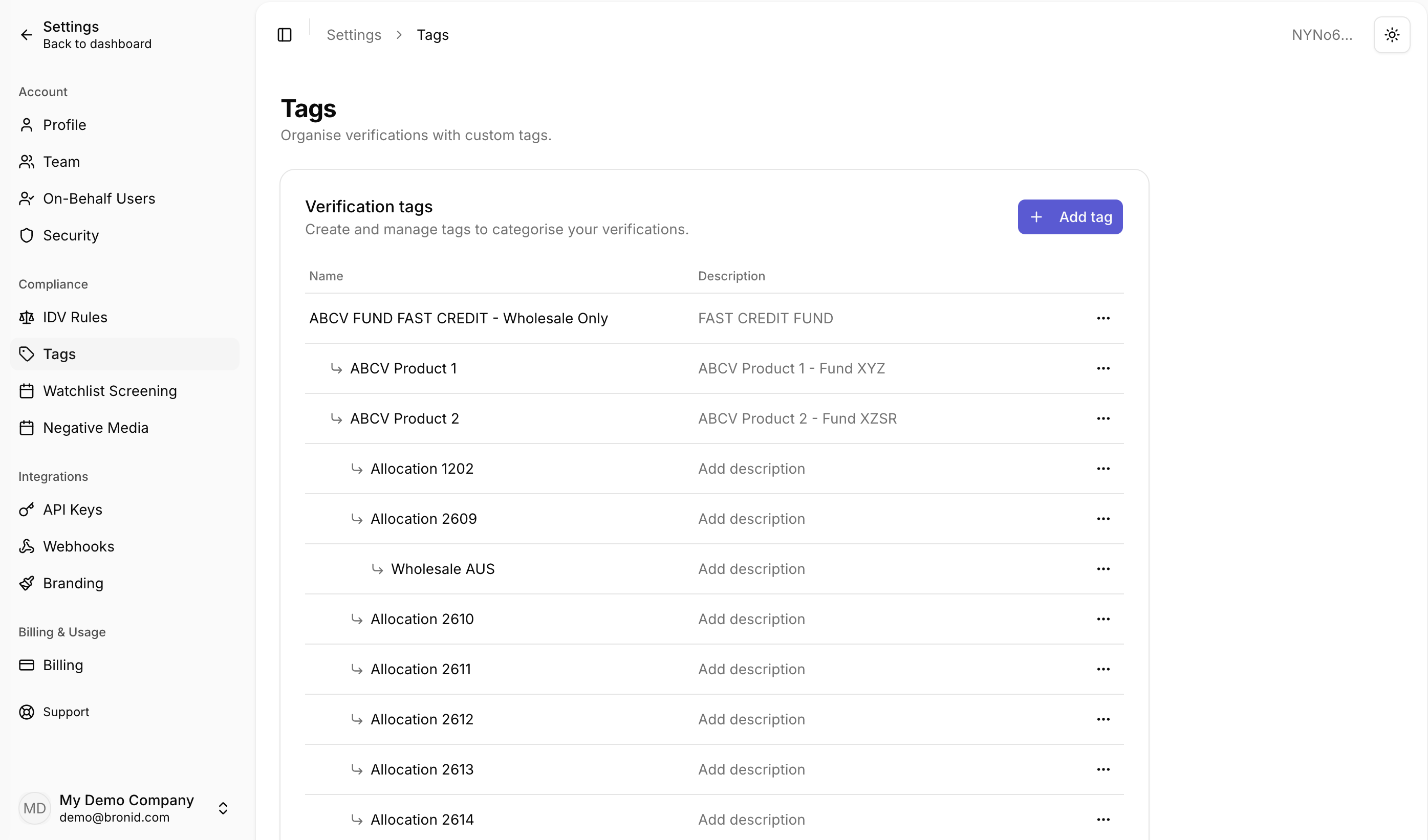
- Under Compliance, select Tags. The Verification tags section allows you to create and manage tags to categorise your verifications.
2. Creating a tag:
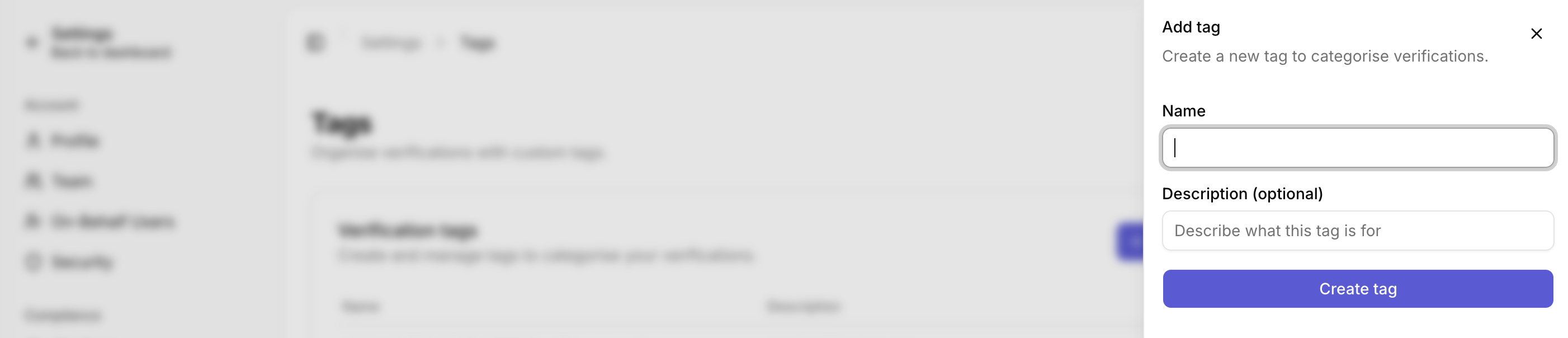
- Click Add tag.
- In the panel that opens, enter a Name and, optionally, a Description explaining what the tag is for (e.g. Name: ABC Fund, Description: ABC Fund - AFSL).
- Click Create tag. The new tag will appear in the Verification tags list.
3. Adding nested tags:
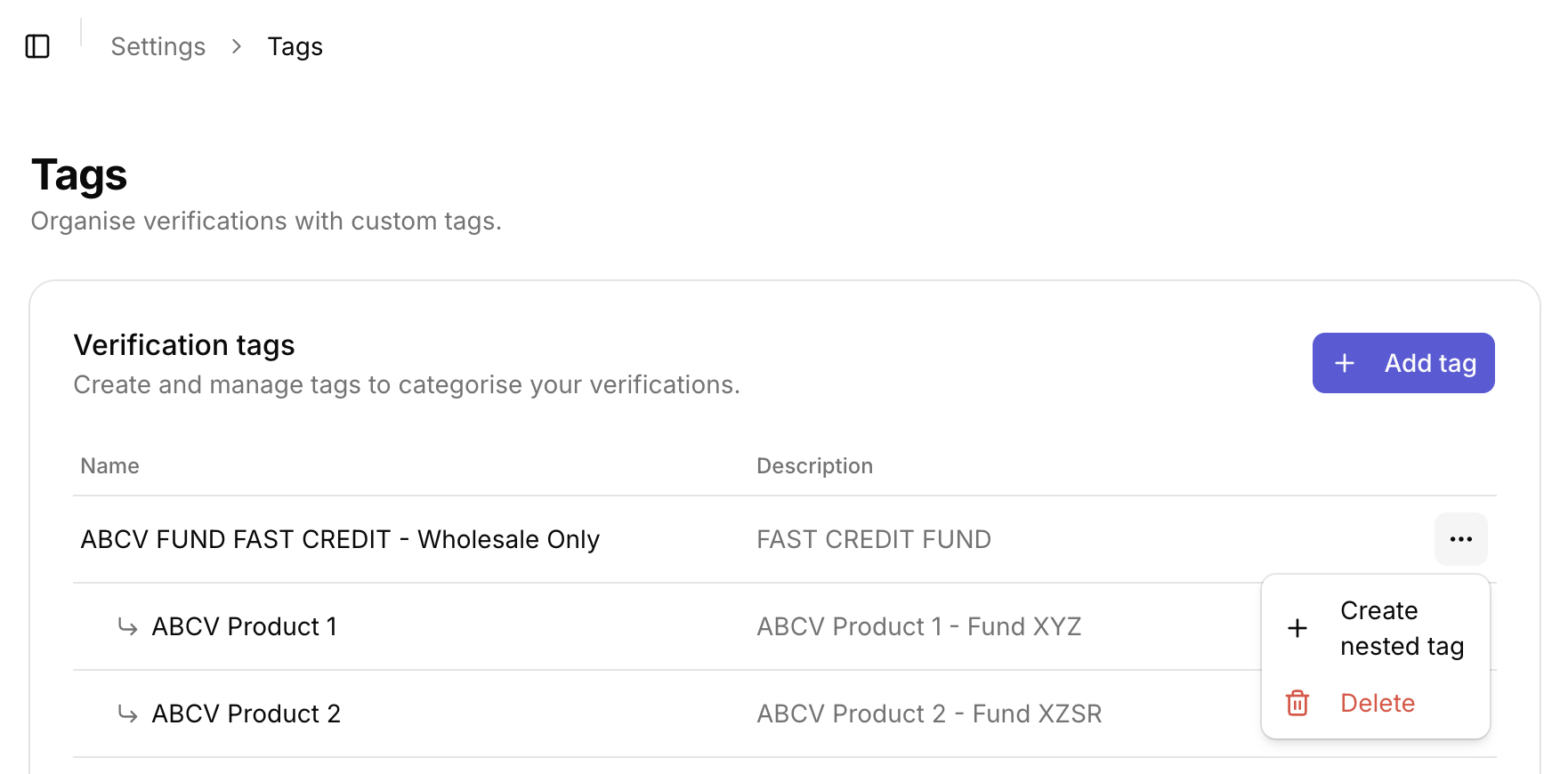
- Locate the parent tag and click the meatballs icon (three horizontal dots) on the right side.
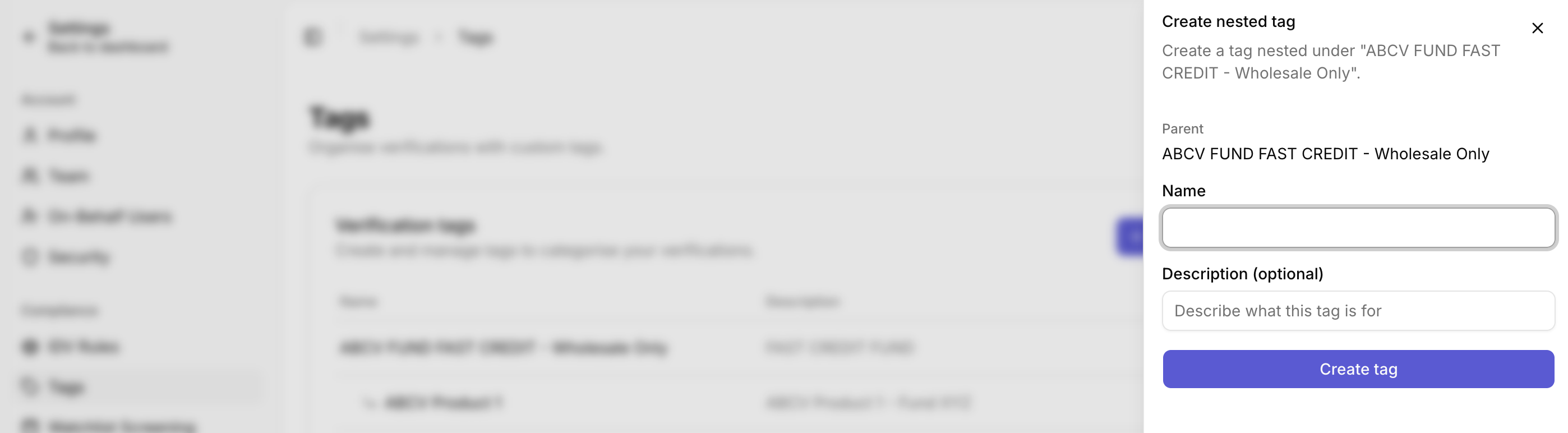
- Choose Create nested tag.
- Provide a name and, optionally, a description for the nested tag.
- Click Create tag. The new tag will appear under the parent tag for more detailed organisation.
4. Deleting tags:
- Locate the tag you want to delete and click the meatballs icon (three horizontal dots) on the right side.
- Select Delete and confirm in the pop-up modal.
- Important: Deleting a tag removes it from all associated KYC and KYB submissions. Deleting a parent tag also deletes its nested tags. This action is irreversible.
Appending Tags to KYC and KYB Submissions
Manually appending tags via the bronID Portal:
- Log into your bronID Portal account.
- In the left-hand menu, under ID Verification, go to Results.
- Click on the submission you wish to edit.
- In the right-hand slider, open the General Info tab and click edit next to the Tags field.
- Select the desired tags and click Save.
- The tags will now be applied to the submission.
You can also use the table filter on the Verification History page to select submissions that fall under a specific tag.
Programmatic tag application via API:
- Use the bronID API to add tags during submission.
- For White-label Forms or API submissions, include tags using the "metadata_tags" parameter.
- For detailed instructions, refer to the bronID API documentation.


