

If you need to update your company information, the process is straightforward. Just follow these steps:
- Log into your bronID Portal account.
- Open Settings from the left-hand menu.
- Under Account, select Profile.
- In the Personal information section, update your details as required. You can edit your Display name, Company name, Company Number and Phone number.
- Click Save changes before leaving the page.
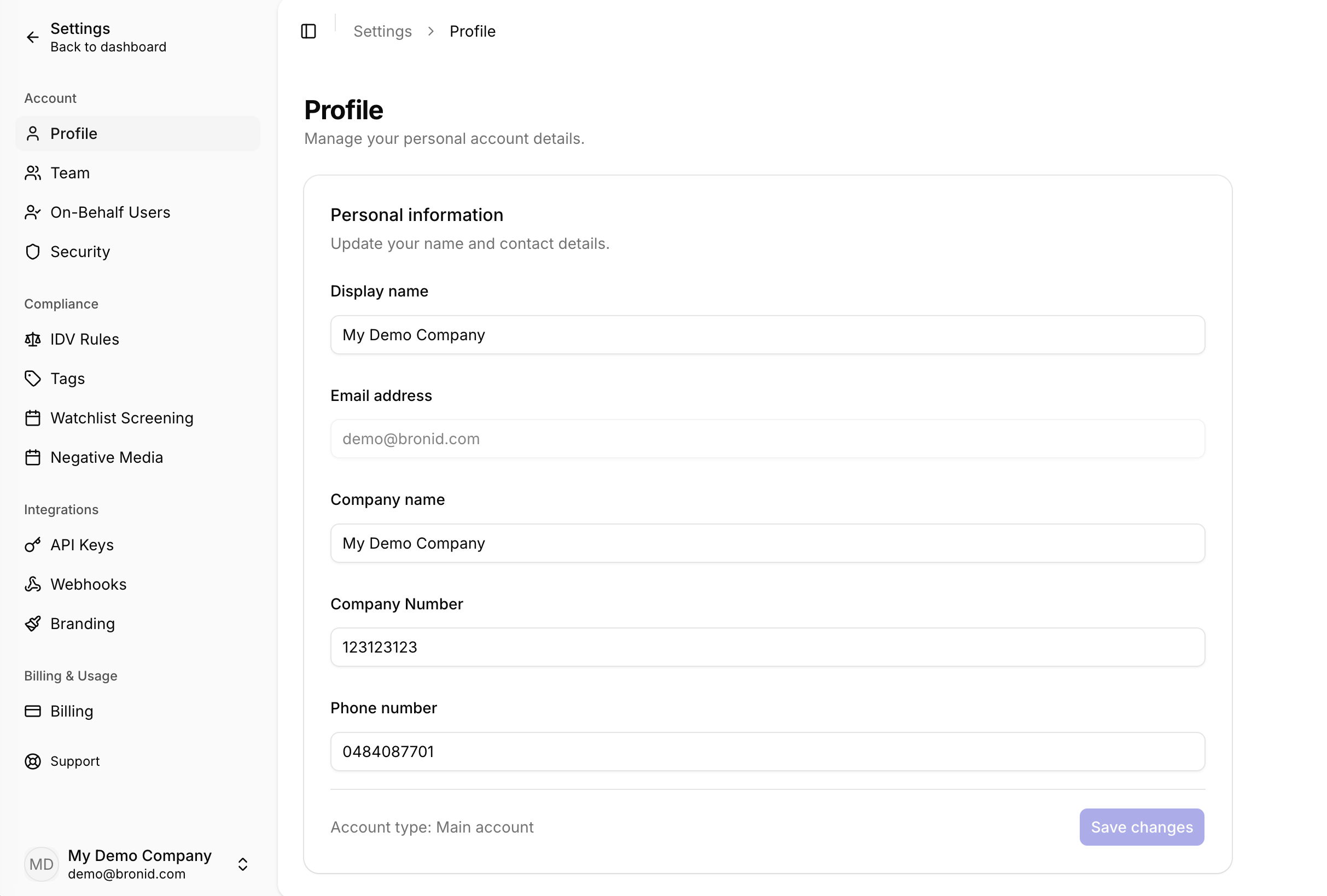
Please note that the email address for your account cannot be changed. Your account must remain linked to the domain it was approved for during the due diligence process. In rare cases where an email change is required, please contact support@bronid.com, as you will need to complete identity verification and due diligence before the change can be made.
It's important to note that your account must be linked to an existing company or organisation. Also, when using your account to make updates or changes, you should only do so on behalf of your organisation. This is because identity verification audit trails and compliance activities need to be valid and accurate, and using your account for personal purposes could compromise this information.


