

If you have a Distributor subscription with bronID, you can establish on-behalf accounts linked to your main account. These are essentially hierarchical children accounts (sub-accounts) under your company's primary bronID account, offering tailored access and control:
- Separate access: On-behalf accounts have their own bronID Portal and tools.
- Independent operations: They can manage KYC and KYB submissions, submit as separate entities, and handle verification information requests.
- User invitation capability: These accounts can invite their own linked users.
- Ideal for various business units: Suitable for internal departments, clients, authorised representatives, or affiliates in a remittance network.
Your organisation retains full oversight of all submissions processed by on-behalf accounts, while these accounts access only their own submissions.
Setting Up an On-Behalf Account
To create an on-behalf account, follow the steps below:
- Log into your bronID Portal account.
- Open Settings from the left-hand menu.
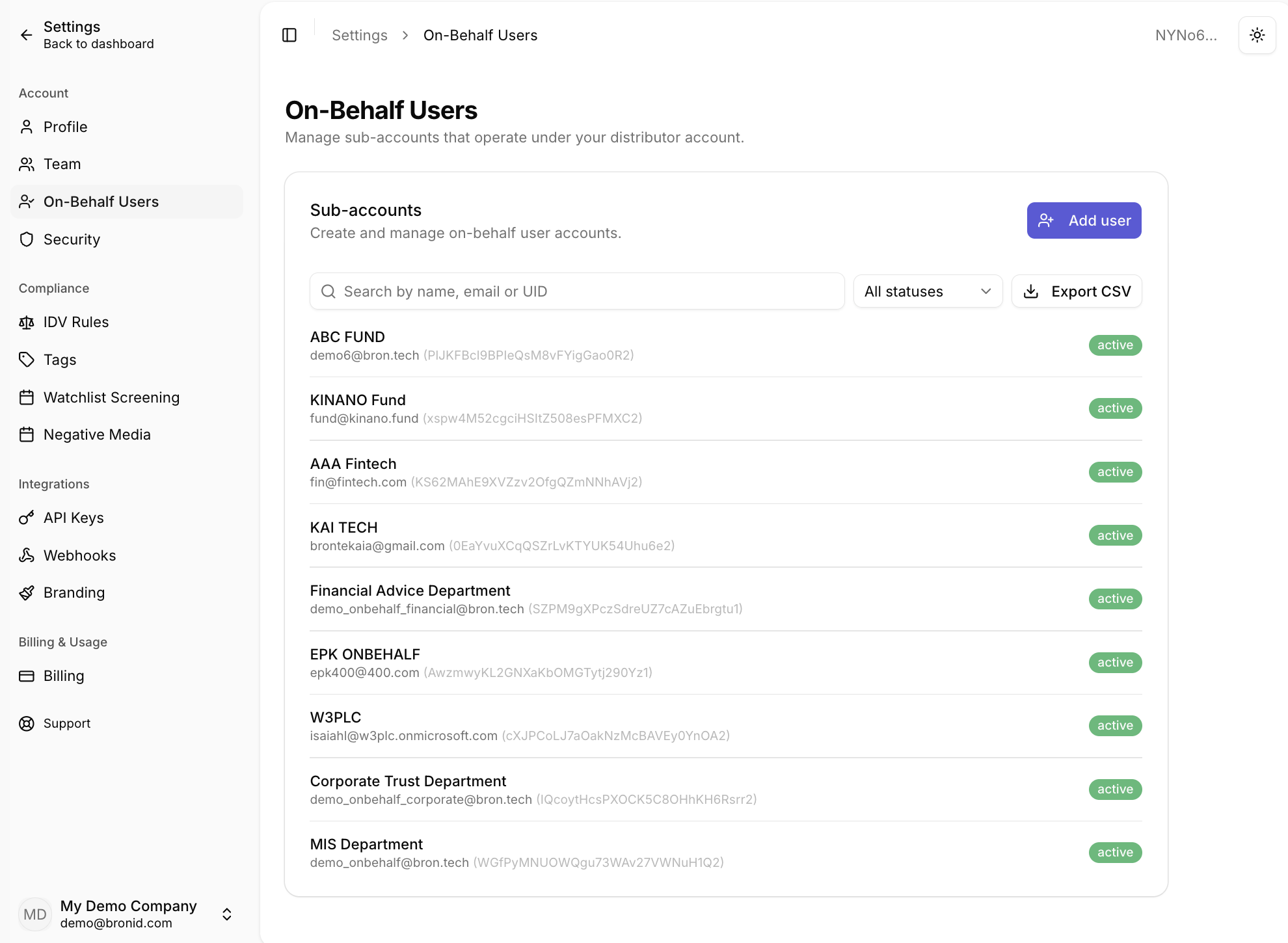
- Under Account, select On-Behalf Users. The Sub-accounts section allows you to create and manage on-behalf user accounts.
- Click Add user.
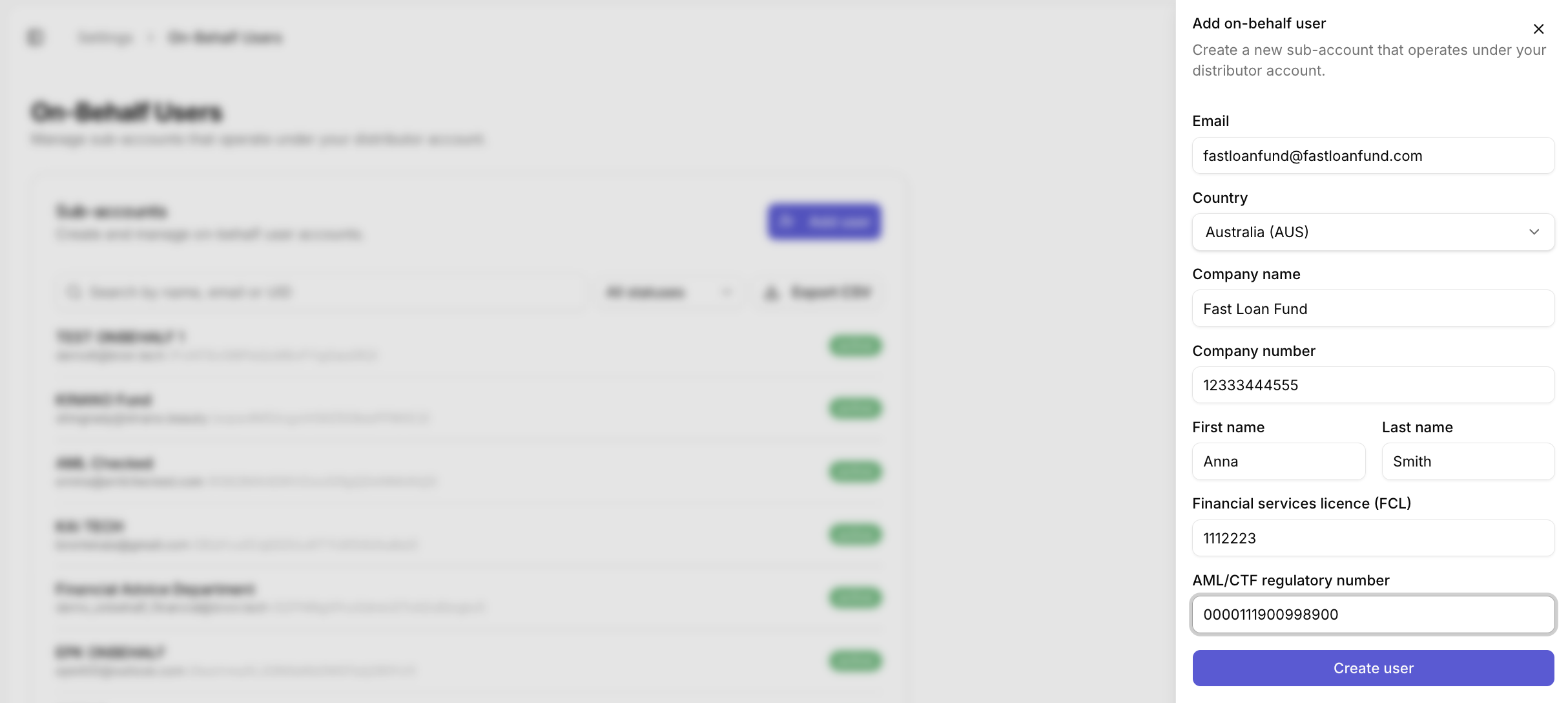
- In the Add on-behalf user panel, complete all fields accurately for due diligence purposes and to avoid account interruptions:
- Email: The primary email for the on-behalf account. Use non-personal addresses like operations@company.com. The account can invite staff members to its workspace.
- Country: The country of incorporation for the entity holding the on-behalf account (e.g. Australia (AUS)).
- Company name: The legal name of the company holding the on-behalf account (e.g. "ABC PTY LTD" or "ABC PTY LTD - Treasury Department").
- Company number: The official number of the company holding the account (e.g. ABN, ACN, EIN, NZBN).
- First name and Last name: The contact details of a person in the on-behalf account organisation. If this individual is unknown, include the name of your main account's administrator.
- Financial services licence (FCL): The financial services or credit licence of the organisation holding the on-behalf account (e.g. AFSL, ACL). Enter "000" if unknown.
- AML/CTF regulatory number: The number with the AML/CTF Regulator for the organisation. Enter "000" if unknown.
- Click Create user. The new on-behalf account will appear in the Sub-accounts list with its email, unique identifier (UID), and status (e.g. active).
Managing Your Sub-accounts
In the Sub-accounts section, you can also:
- Search for a sub-account by name, email, or UID.
- Filter the list by status using the statuses drop-down.
- Export CSV to download a list of your on-behalf accounts.


