

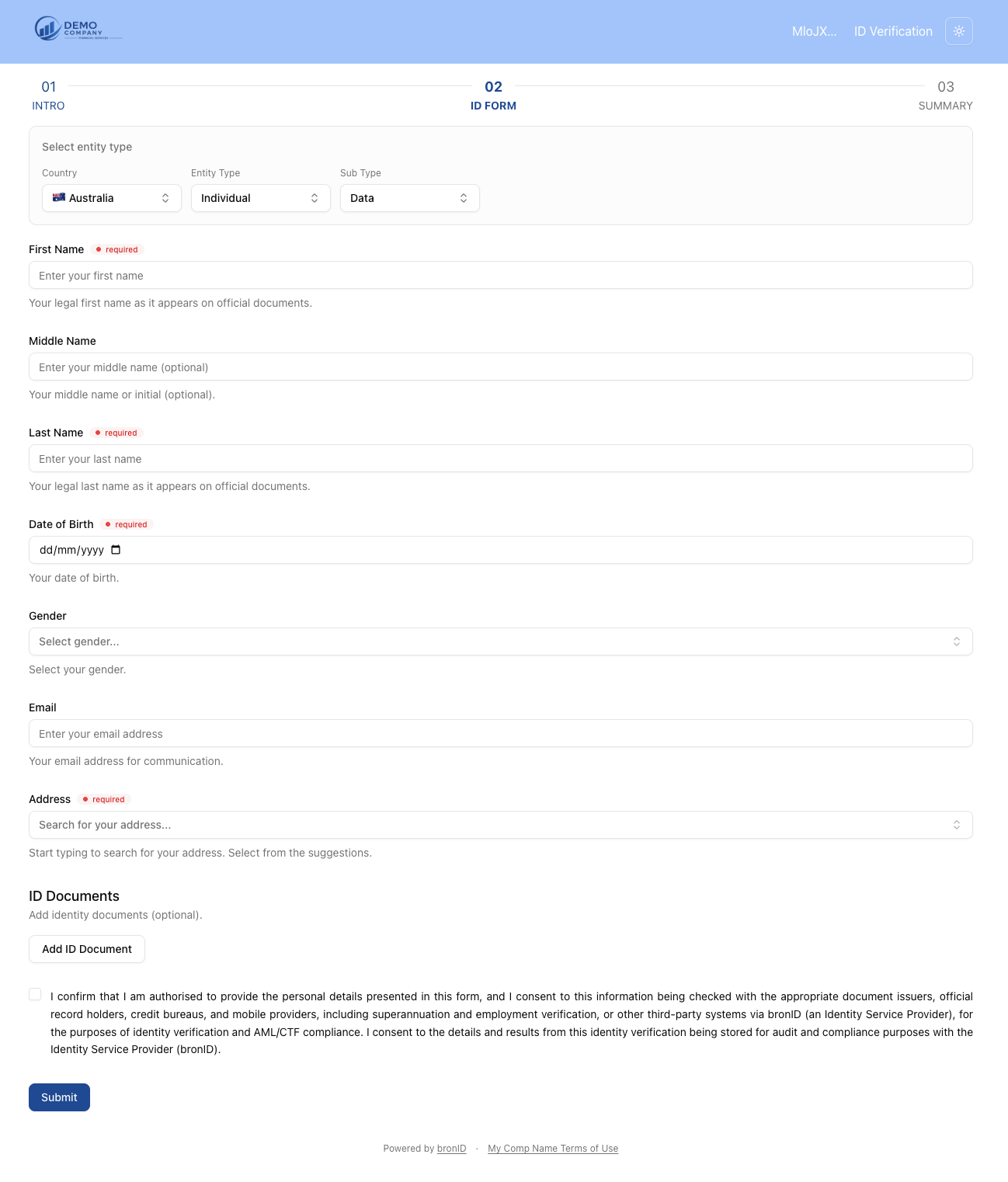
If you have received a bronID verification link, you have been invited to verify your identity. The form consists of three steps, shown at the top of the page: 01 Intro, 02 ID Form, and 03 Summary.
Step 1: Intro
Before you begin, please ensure you have your personal details and identity documents on hand (e.g. your driver's licence, passport, or Medicare card).
By clicking Start verification, you consent to the use of your information and documents for identity verification. See bronID's Privacy Policy for details.
Step 2: ID Form
- Fill out your personal details. The required fields are marked, and helper text under each field explains what to enter:
- First Name: Your legal first name as it appears on official documents (required).
- Middle Name: Your middle name or initial (optional). If you have a middle name, please make sure it is included, as omitting it can affect the verification.
- Last Name: Your legal last name as it appears on official documents (required).
- Date of Birth: Your date of birth (required).
- Gender: Select your gender.
- Email: Your email address for communication.
- Address: Start typing to search for your address and select it from the suggestions (required).
- Add your ID Documents. This step is optional, but it is strongly recommended that you add as many ID documents as possible, as this significantly increases the match rate. Click Add ID Document, select the document type from the drop-down (e.g. Driver's Licence, Passport, Medicare Card), click Add, and enter the document details.
- Tick the consent checkbox. By ticking the box, you confirm that you are authorised to provide the personal details presented in the form, and you consent to this information being checked with the appropriate document issuers, official record holders, credit bureaus, and mobile providers via bronID for the purposes of identity verification and AML/CTF compliance.
- Click Submit.
Step 3: Summary
Once the form is submitted, bronID will verify your details against independent, reliable data sources. This usually takes 5 to 10 seconds.
If Your Identity Could Not Be Verified
If your details could not be verified against official records, a Your identity could not be verified notice will appear, showing your attempt count (e.g. Attempt 1 of 5). To try again, please:
- make sure the entered data is correct;
- provide full legal names (including middle names); or
- provide additional ID documents.
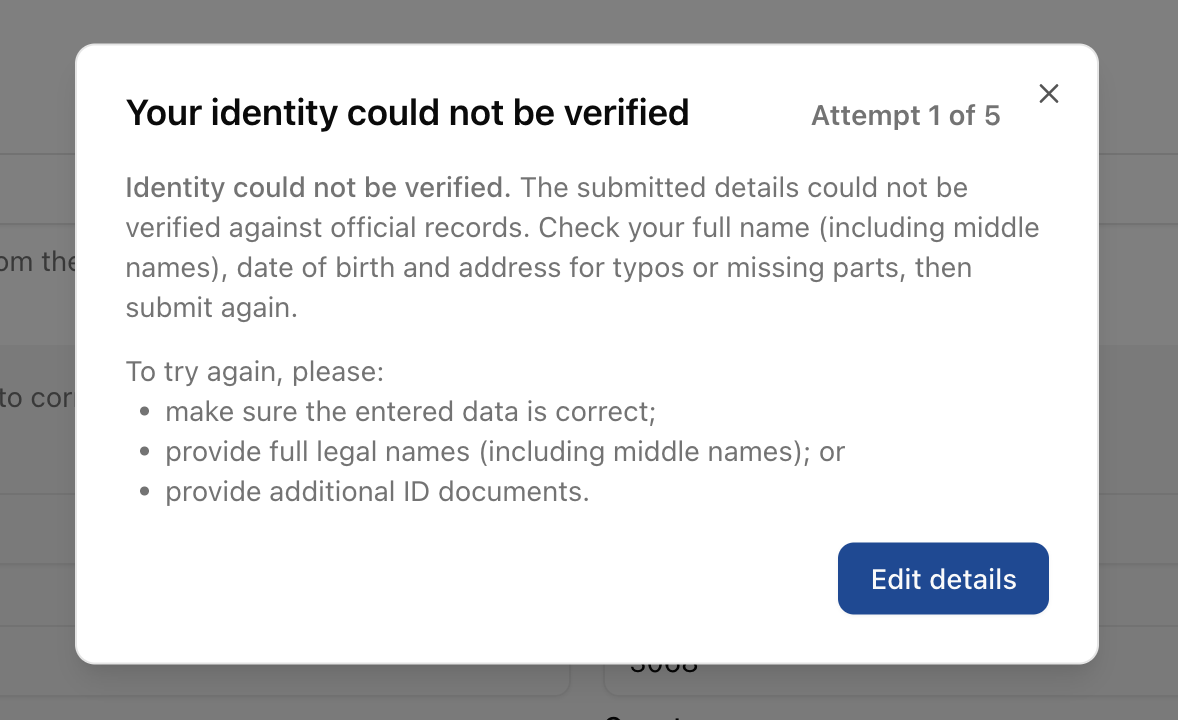
Click Edit details to correct your information and submit again. Common causes of a failed verification include typos in your name or address, a missing middle name, an incorrect date of birth, or entering a document number in place of the licence number. Please make sure to add ID documents to improve the chances of getting verified.


