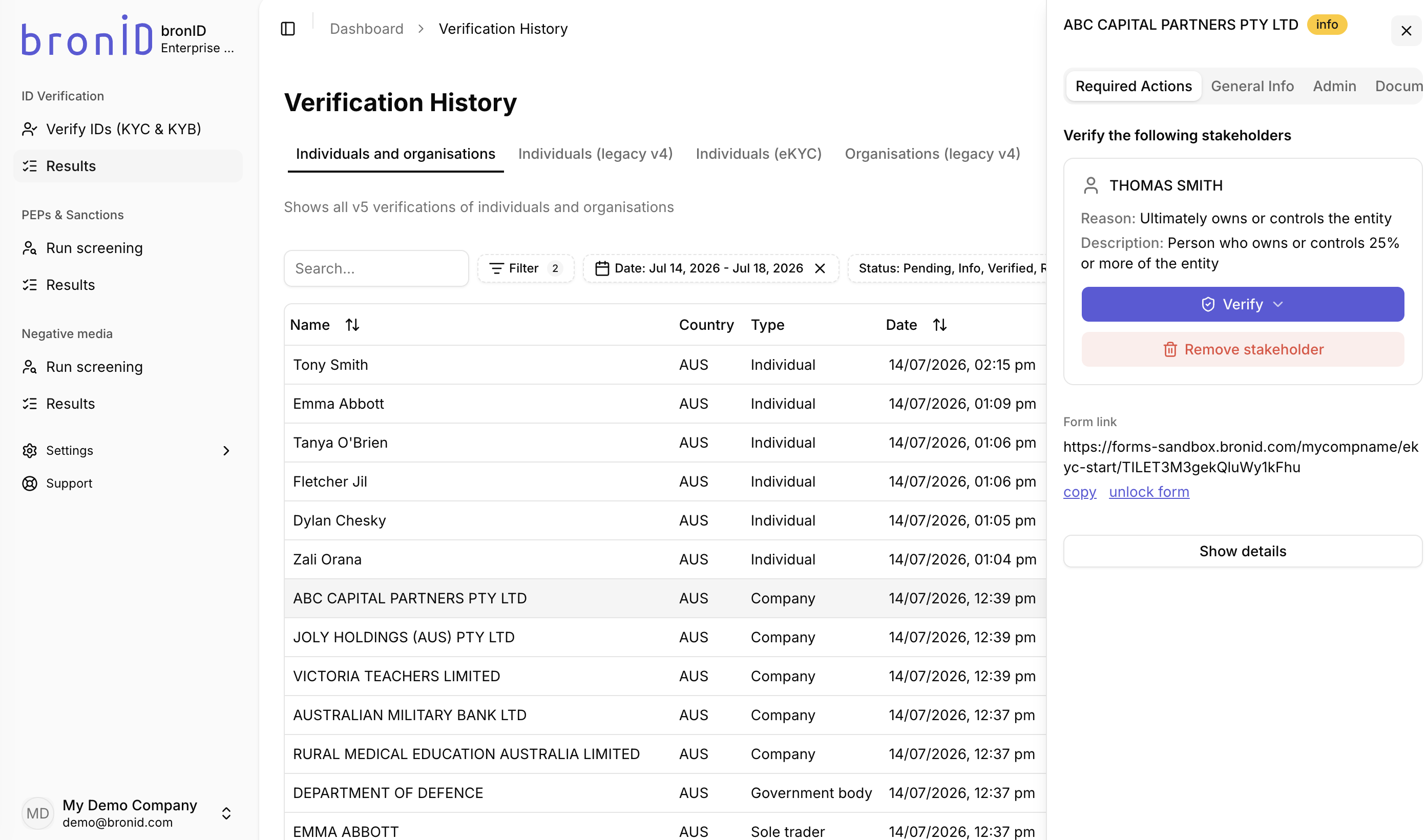
bronID may request that you verify the identified UBOs/stakeholders of an organisation that you have submitted in order to complete the KYB verification. To see a list of the requested UBOs/stakeholders, log into your bronID Portal account and, in the left-hand menu under ID Verification, go to Results. Click on the organisation which is in the info status, and in the right-hand slider, open the Required Actions tab. Here, bronID will list all the stakeholders that have been identified and need to be verified.
However, you may need to remove a requested stakeholder from the KYB verification in line with your internal processes or reasoning. This may be needed because the requested stakeholder is:
- a minor;
- deceased;
- removed as a beneficiary;
- removed as a trustee;
- removed as an appointor/principal;
- manually verified;
- removed at your discretion (when you want to remove the UBO at your discretion due to internal policies and rulings; this is always accepted by default); or
- removed for another reason.
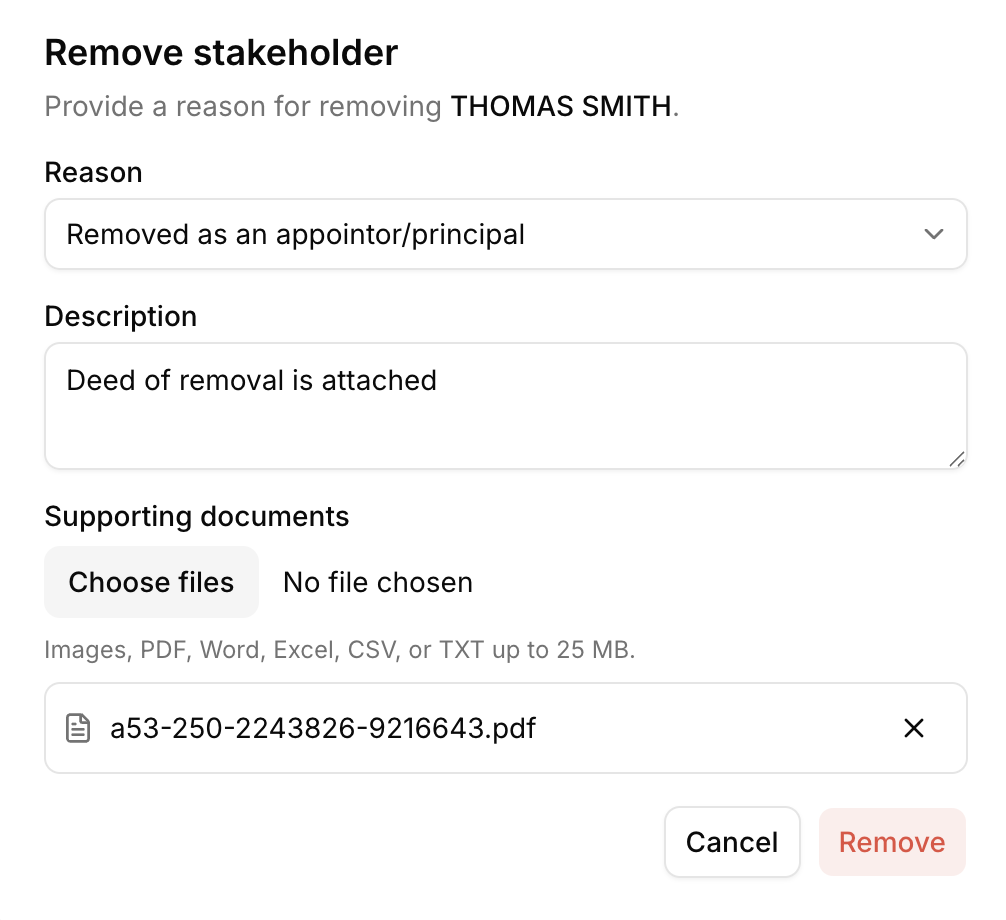
To remove a stakeholder from the info request, follow the steps below:
- Log into your bronID Portal account.
- In the left-hand menu, under ID Verification, go to Results.
- Click on the organisation which is in the info status.
- In the right-hand slider, open the Required Actions tab.
- Click Remove stakeholder under the stakeholder you want to remove.
- Provide a reason and a description of why you are removing the UBO. This will be recorded in the audit trail of the KYB verification.
- It is strongly recommended that you upload supporting evidence for the reason for removal, such as a Death Certificate, Deed of Removal, ID documents, or other relevant documents.