

To perform a KYB verification, follow the steps below:
- Log into your bronID Portal account.
- In the left-hand menu, under ID Verification, go to Verify IDs (KYC & KYB).
- (Optional) Fill out the Metadata section. This section contains:
- Submit on behalf of: Select the account the verification will be submitted for (e.g. My own account). The verification will be visible to the selected account and will use its branding and form rules where configured. Please note that this option is only available for Distributor accounts.
- Tags (optional): Add labels for filtering and reporting. Tags are included in API results and webhooks.
- User ID (optional): An identifier from your system for this entity (e.g. user-123). It is attached to the verification and returned in API results and webhooks.
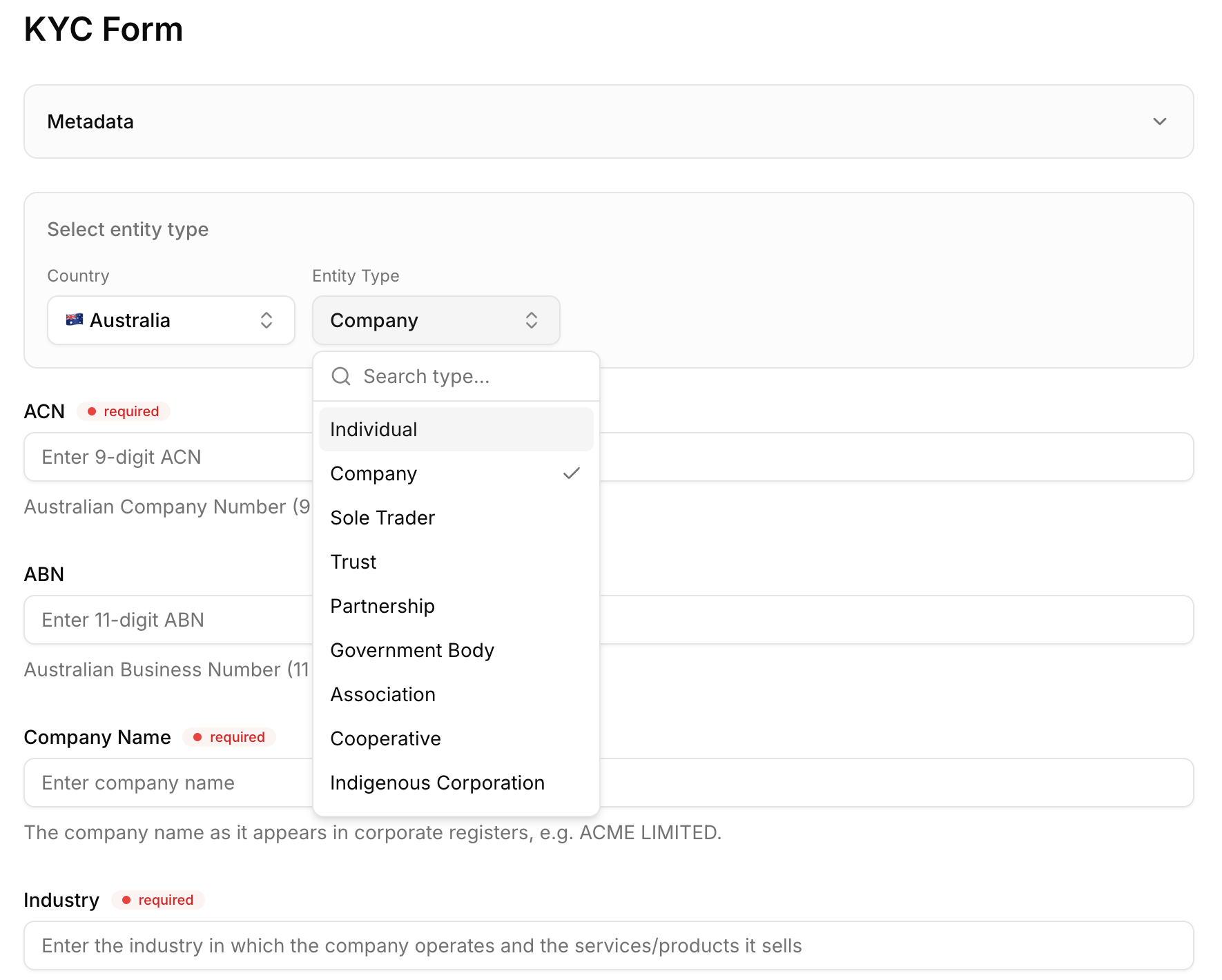
- Select the entity type. In the Select entity type section, choose the Country (e.g. Australia) and the Entity Type. Different entity types are available depending on the country of establishment or incorporation. For example, for Australia, the available entity types include Company, Sole Trader, Trust, Partnership, Government Body, Association, Cooperative, and Indigenous Corporation.
- Once the entity type is selected, fill out the minimum required fields within the form. The required fields are marked and vary depending on the entity type. For example, for an Australian Company, the required fields are the ACN (9-digit Australian Company Number), Company Name (as it appears in corporate registers, e.g. ACME LIMITED), and Industry (the industry in which the company operates and the services/products it sells). The ABN (11-digit Australian Business Number) can also be provided.
- Once the form is complete, click Submit.
Once you submit the verification, bronID will go to the relevant government data sources and also analyse the uploaded documents. You will see the verification status on the Results page. It is possible that follow-up actions are needed. For example, you may need to verify the ultimate beneficial owners (UBOs) or upload documents to complete the relevant info request. The processing time depends on the complexity of the entity and the availability of the registries at the time of the submission. It usually takes around 15 minutes, but in some cases it can take longer.


