

There are two identity verification procedures for verifying individuals:
- Data: This procedure uses independent, reliable databases to verify customer information. The person's details must match independent, reliable data sources to satisfy the safe harbour rule. This procedure does not require biometrics or a liveness check.
- eKYC (Document): This procedure requires the customer to take a photo of two original documents, one primary and one secondary supporting document, and complete a liveness and biometrics check.
Depending on your IDV Rules settings, one of these procedures will be selected as the default.
To perform a verification, follow the steps below:
- Log into your bronID Portal account.
- In the left-hand menu, under ID Verification, go to Verify IDs (KYC & KYB).
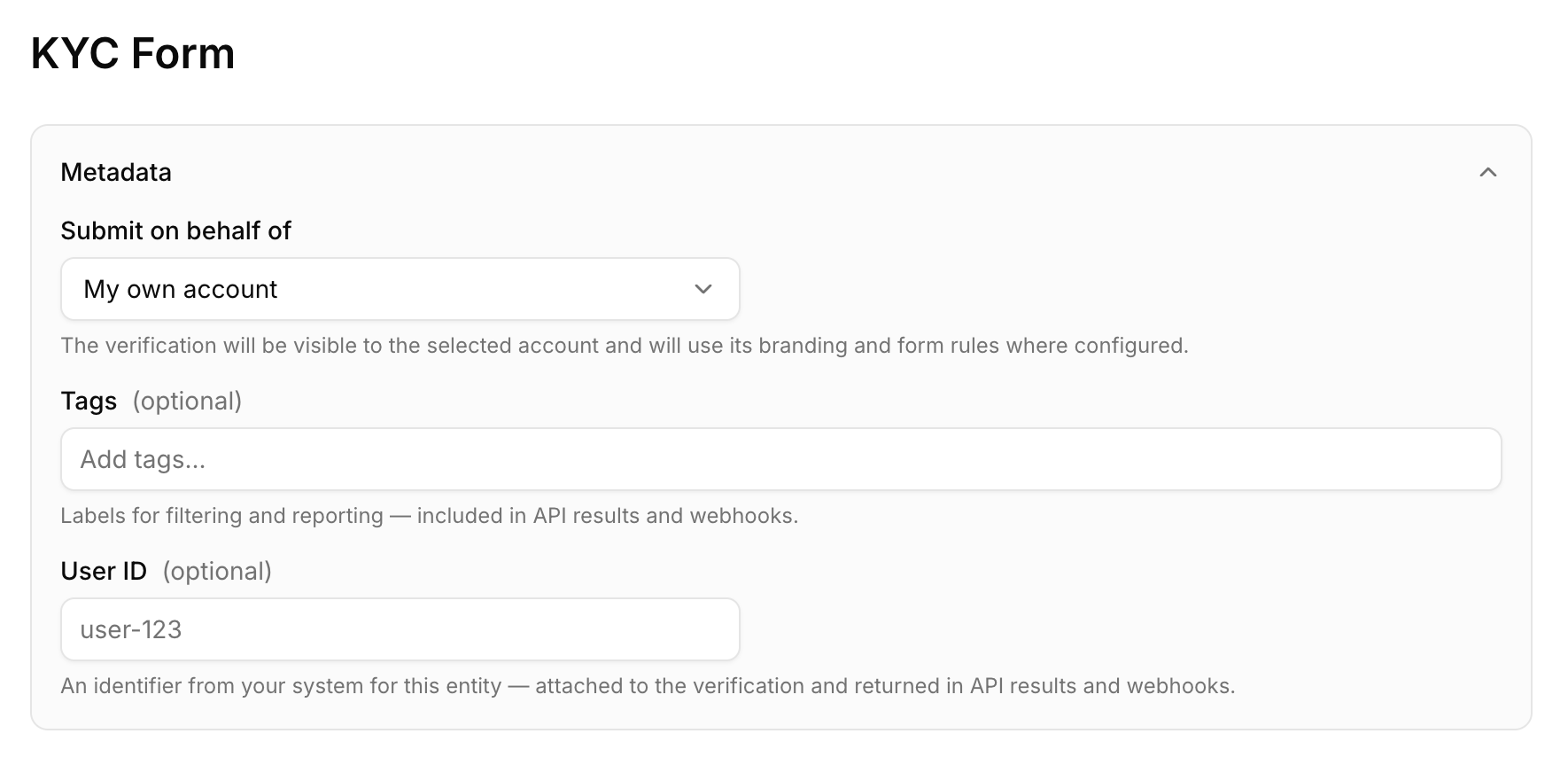
- (Optional) Fill out the Metadata section. This section contains:
- Submit on behalf of: Select the account the verification will be submitted for (e.g. My own account). The verification will be visible to the selected account and will use its branding and form rules where configured. Please note that this option is only available for Distributor accounts.
- Tags (optional): Add labels for filtering and reporting. Tags are included in API results and webhooks.
- User ID (optional): An identifier from your system for this entity (e.g. user-123). It is attached to the verification and returned in API results and webhooks.
- Select the entity type. In the Select entity type section, choose the Country (e.g. Australia), the Entity Type (e.g. Individual), and the Sub Type. For individuals, the Sub Type determines the verification procedure: eKYC, or Data.
A. Data procedure
- Fill out the customer's information. The minimum data requirement is the full name, date of birth, and address of the individual. If the individual has a middle name, please make sure it is included in the submission.
- Depending on the country, you can additionally include ID documents. Please ensure that you include as many ID documents as possible by clicking Add ID Document, as this significantly increases the match rate.
- Tick the box to provide consent and click Submit. The data will then be submitted to bronID, and it usually takes 5 to 10 seconds to be processed and verified.
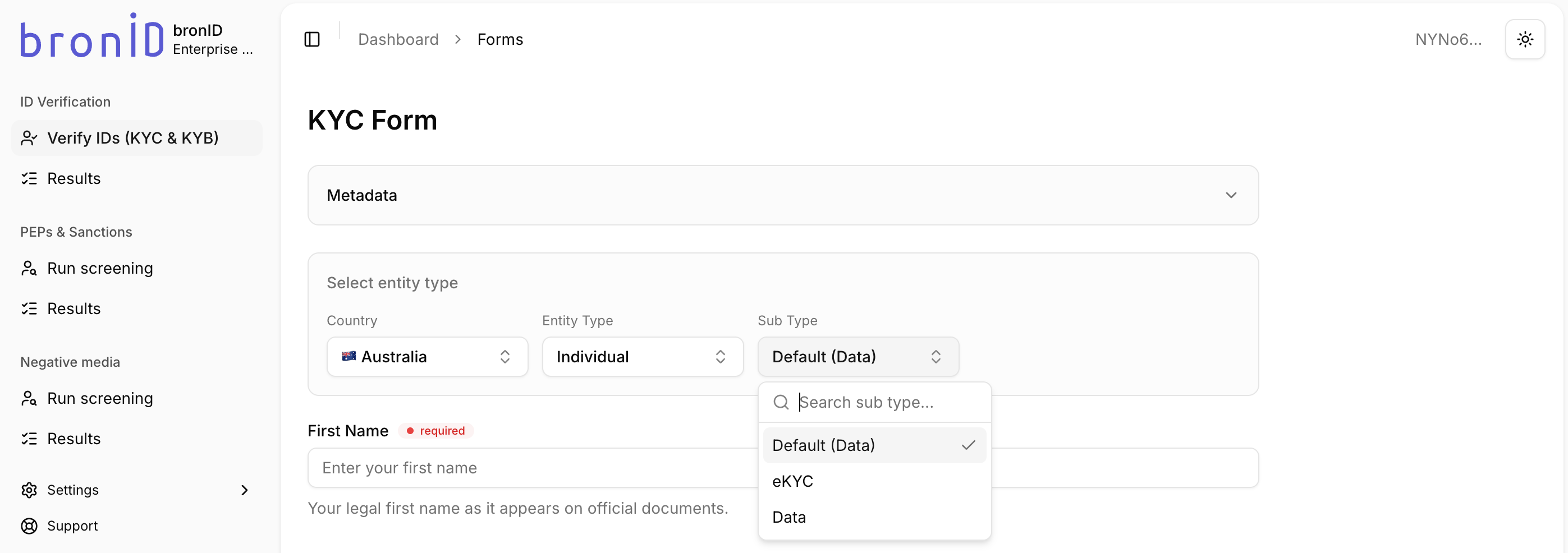
Please note that not all countries are supported for ID verification with the Data procedure. Only countries that have available reliable databases are included for this procedure. The full country list can be seen in the Country drop-down.
B. eKYC (Document) procedure
The eKYC procedure must be completed live by the customer, as no one can complete the biometrics check on their behalf. This means you cannot fill out this form on the customer's behalf in the Portal. You can only generate the verification link and send it to the customer to complete themselves.
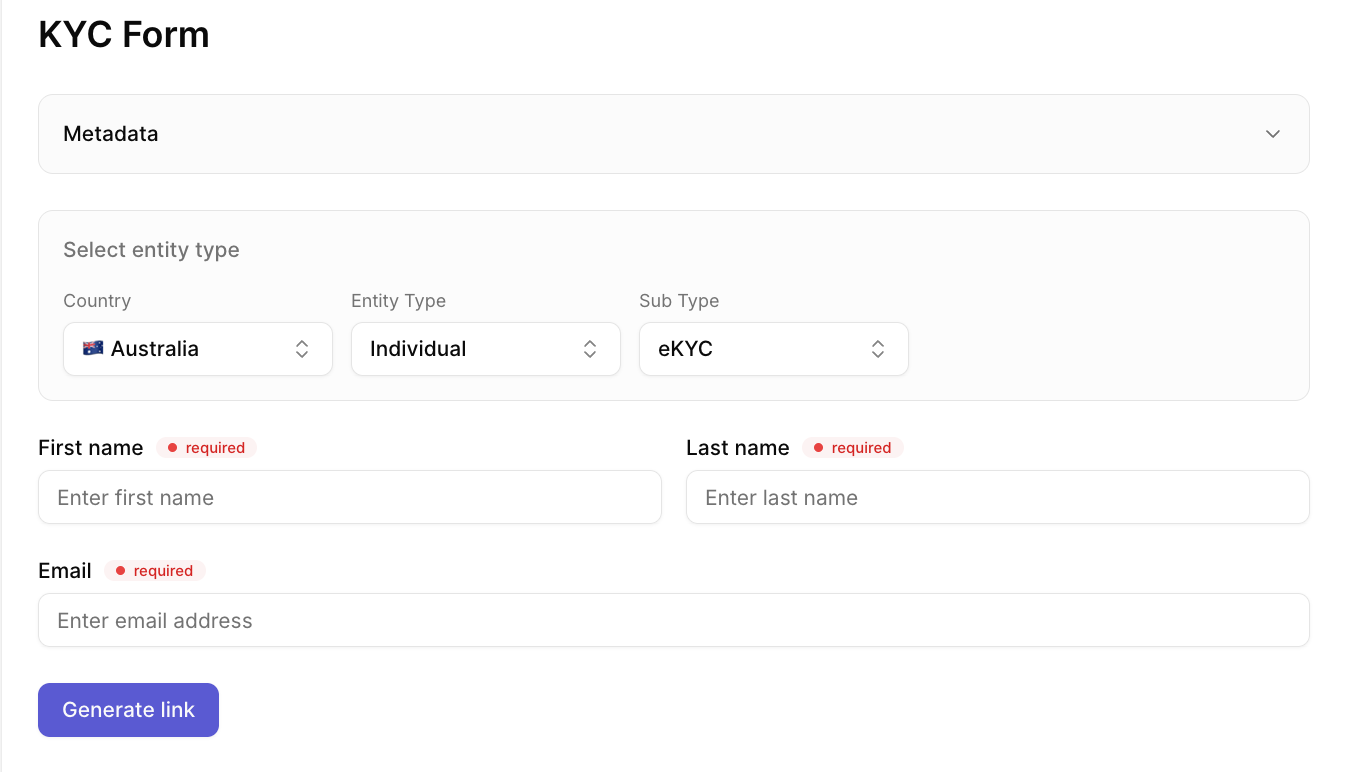
- Fill out the customer's details. The required fields are the individual's First name, Last name, and Email.
- Click Generate link. A unique verification link will be generated for the customer.
- Send this link to the customer and instruct them to complete the verification steps. They will need to provide two ID documents, one primary and one secondary supporting document, as well as complete a liveness and biometrics check. Please note that bronID does not contact the customer. You will need to contact the customer and provide them with instructions on how to complete the form.
- Once the customer has completed the verification, the results will be processed and made available in the Portal.


