

Viewing the Details of a Verification
To review the details of a verification, click on the submission in the results table and then click Show details. The details page shows the individual's name and status at the top, along with the following tabs:
- Overview: The submitted details and outcome of the verification at a glance, including the First Name, Middle Name, Last Name, Date of Birth, Address, Type (e.g. Individual), Sub Type (e.g. Data), Country, IDV Risk, and the Submitted and Updated dates. From here you can click Back to History to return to the Verification History page.
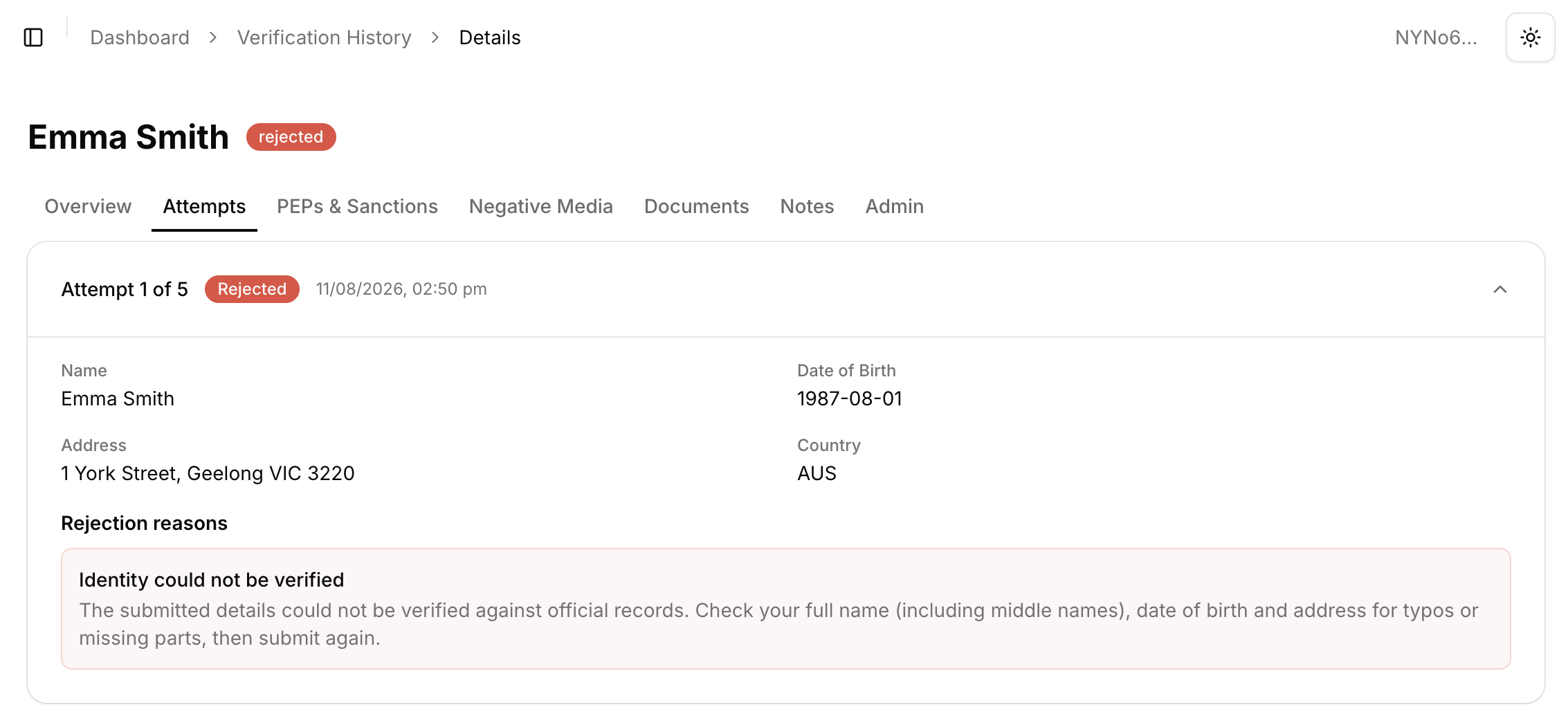
- Attempts: Each verification attempt (e.g. Attempt 1 of 5), with its status, date and time, and the submitted data (Name, Date of Birth, Address, and Country). For rejected attempts, the Rejection reasons are also shown. For example, "Identity could not be verified: The submitted details could not be verified against official records. Check your full name (including middle names), date of birth and address for typos or missing parts, then submit again."
- PEPs & Sanctions: The results of the PEP, Sanctions, and Criminal Watchlist screening.
- Negative Media: The results of the negative media screening.
- Documents: The ID documents submitted as part of the verification.
- Notes: Any notes appended to the verification.
- Admin: Administrative and technical details about the submission, including the ID, Submission ID, Submission Status (e.g. submitted), On Behalf Of, Trace, Entry Type (e.g. individual), and Tags. The identifiers can be copied and are useful when contacting bronID support or matching the verification against API results and webhooks.
The Attempts tab is particularly useful for resolving rejected verifications, as it shows exactly what data was submitted in each attempt and the rejection reason, allowing you to identify data entry errors before resubmitting.
KYC Verification Status
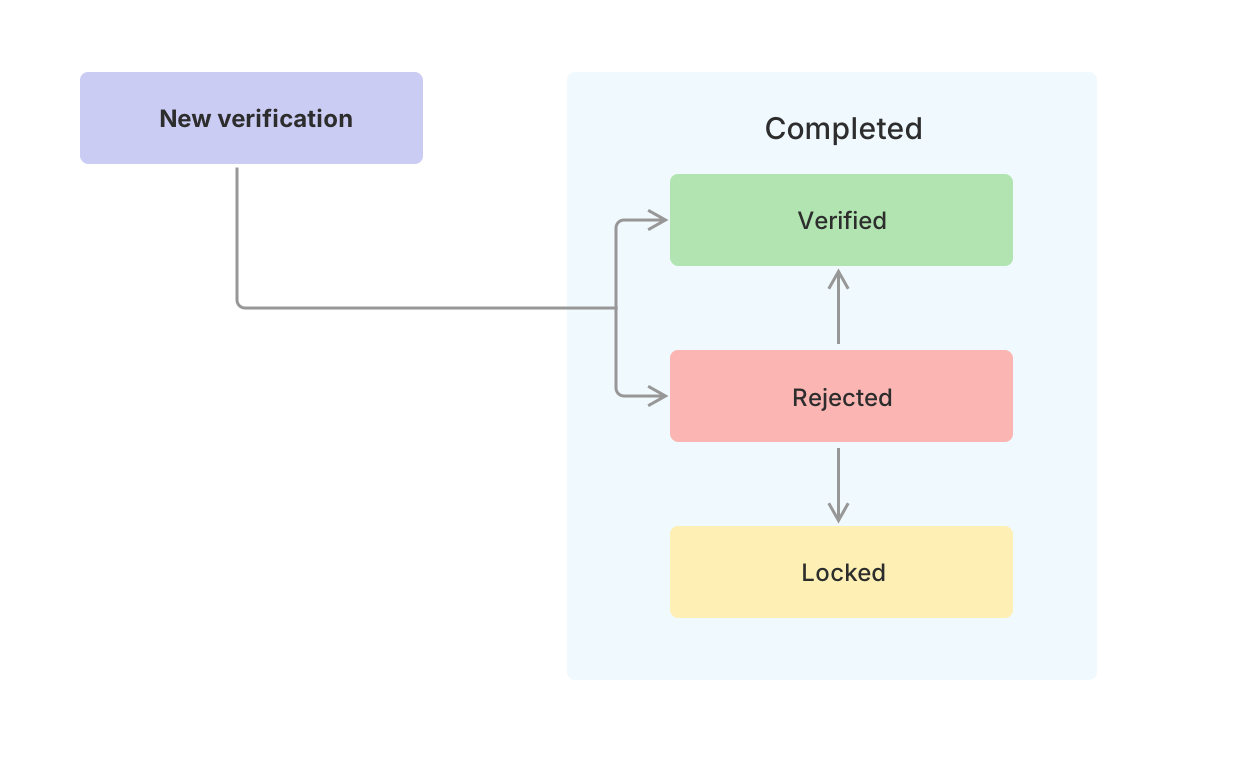
To view your verifications, log into your bronID Portal account and, in the left-hand menu under ID Verification, go to Results. Once you submit a KYC check for an individual, you may receive two verification results (statuses): Verified and Rejected.
Verified
The bronID verification process is complete once the verification status is verified. This means that all the requirements in the bronID ID Verification Procedural Manual for the electronic Safe Harbour procedure have been satisfied. The Data - Safe Harbour procedure requires the individual's:
- full name; and
either one of or both:
- date of birth; or
- the address
to match at least two reliable independent databases.
Therefore, the verified status means that the individual has matched at least two of the data sources that bronID checks.
Rejected
If the verification status is rejected, the rejection reason is always the same: the person's details do not match two independent reliable data sources, as required to satisfy the electronic Safe Harbour rule.
Resolving Rejected Verifications
While the rejection reason is always the same, there are several underlying causes that may lead to a rejected status:
- the individual does not exist;
- the individual does not have a sufficient social footprint and does not have records in the databases that are checked;
- there was a data entry error;
- two data sources cannot be matched with the supplied data.
The submitted data is incorrect
Often the reason for a rejected verification is that the submitted data is either incorrect or not formatted correctly, for example:
- the middle name is submitted with or in the place of the first name;
- spelling errors in the individual's name or address;
- the submitted date of birth is incorrect;
- the individual did not submit their full legal name;
- the driver's licence number submitted is a document number, not the licence number;
- the passport number is incorrect.
When verifying an individual, be sure to double-check the data submitted against your records or check with your customer to make sure the collected information is correct. To resolve this, correct the data and resubmit the verification.
Identity documents were not supplied
One of the most reliable data sources is the government databases that contain identity document data (e.g. passports, driver's licences, Medicare cards). These data sources can be accessed only if you provide ID document data as part of the verification. If your verification was rejected and no ID documents were supplied, add as many ID documents as possible and resubmit the verification, as this significantly increases the match rate.


