

To run a PEPs, Sanctions and Criminal Watch Lists check on an already existing verification, follow the steps below:
- Log into your bronID Portal account.
- In the left-hand menu, under ID Verification, go to Results.
- Click on the individual or organisation you want to re-screen.
- In the right-hand slider, click Show details.
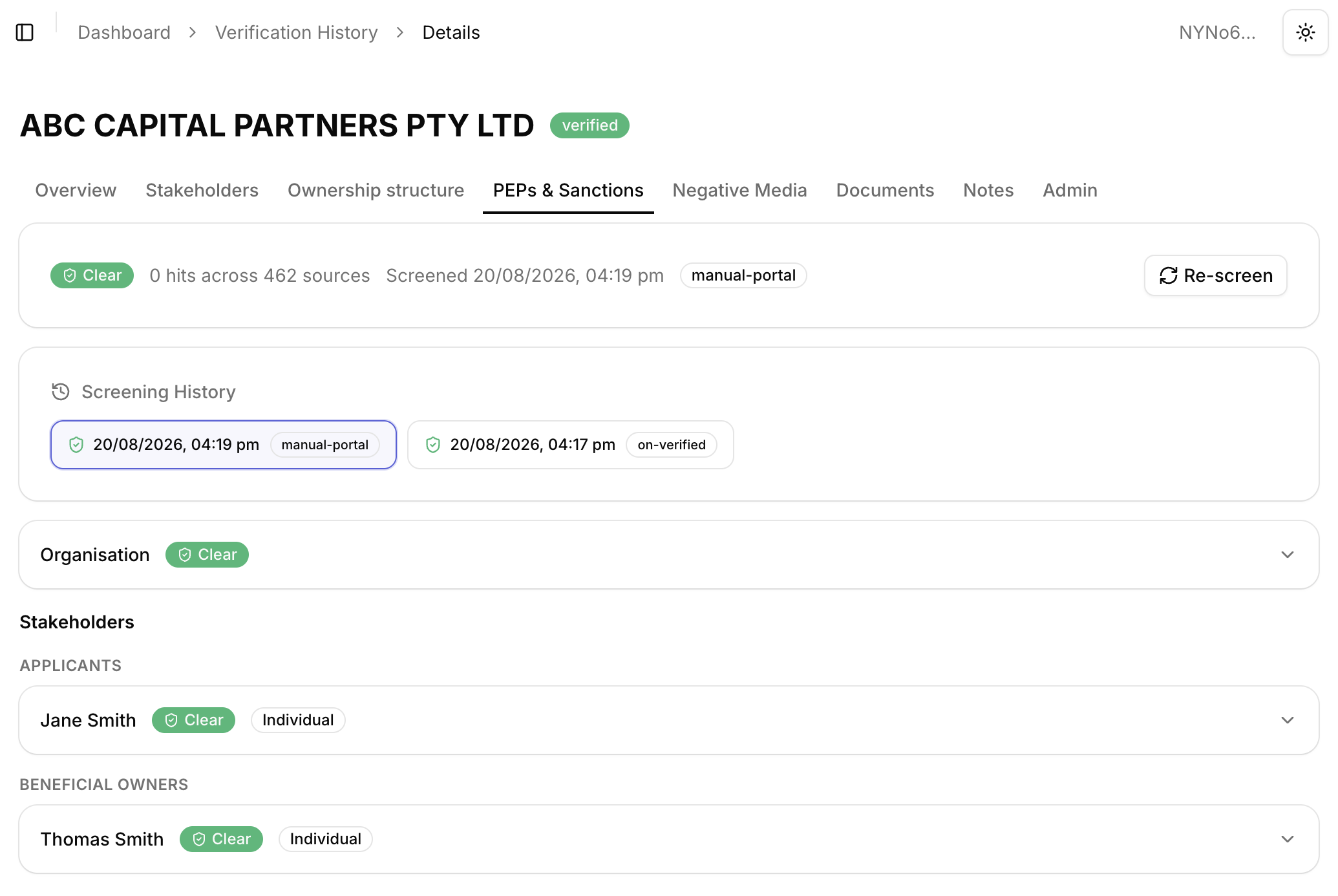
- Select the PEPs & Sanctions tab. At the top of the tab, you will see the latest screening result, including the overall status (e.g. Clear or Hits Found), the number of hits across the sources checked, the date and time of the screening, and the screening trigger.
- Click Re-screen to run a new screening. The results will be displayed on the page.
For KYB verifications, the PEPs & Sanctions tab shows the screening results for the organisation itself, as well as for each of its stakeholders (e.g. applicants and beneficial owners). Each entry displays a status badge (e.g. Clear) and can be expanded to view the details.
View Detailed Results
To view a detailed description of the screening results, follow the steps below:
- Expand the relevant entry by clicking on the down arrow. You will see the Screening ID and the Sources Checked, listing each source with its country, type (e.g. SANCTION, PEP), and whether it was matched.
- If hits were found, they will be shown under Matched Sources. Each matched source includes a description of the list and the matched records.
- Click More next to a matched record to read the full details of the data that was matched, such as names, date of birth, citizenship, occupations, positions, and known associates.
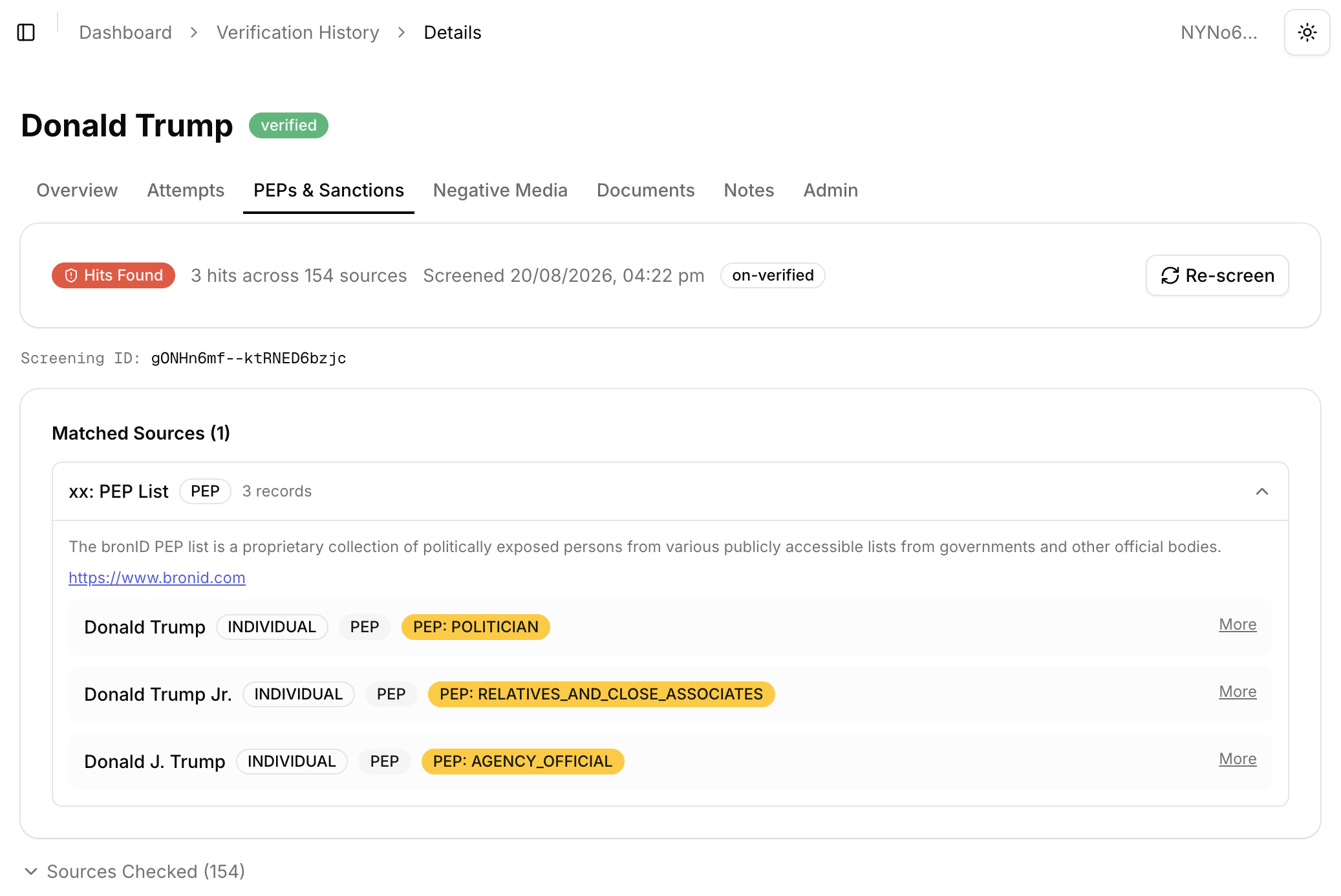
Note: The personal information of the individuals listed in the results may not match the exact details of the submitted individual. This can be due to several reasons:
- bronID uses fuzzy matching, i.e. the names do not have to match exactly, and similar names may show as false positives;
- the submitted name is an alias;
- the matched individuals may be relatives or associates of the submitted individual;
- the matched individuals may be related to the submitted individual by means of contracts, legal arrangements, etc.;
- the match is a false positive.
View Previous Screening Results
To check the results from previous PEPs, Sanctions and Criminal Watch Lists screenings, open the Screening History section and select the screening you want to review. Each entry shows the date and time of the screening and the screening trigger (e.g. manual-portal for screenings run manually from the Portal, or on-verified for screenings run automatically when the verification was completed).



