

Every time a KYC or KYB is processed, bronID automatically calculates the IDV Risk (Identity Verification Risk) using the information it gathers and processes. However, you may want to modify this calculated risk under certain circumstances, such as when a high IDV Risk is due to a false positive from a watchlist (PEPs, Sanctions or Criminal Watchlist), or when you prefer a different risk grading method.
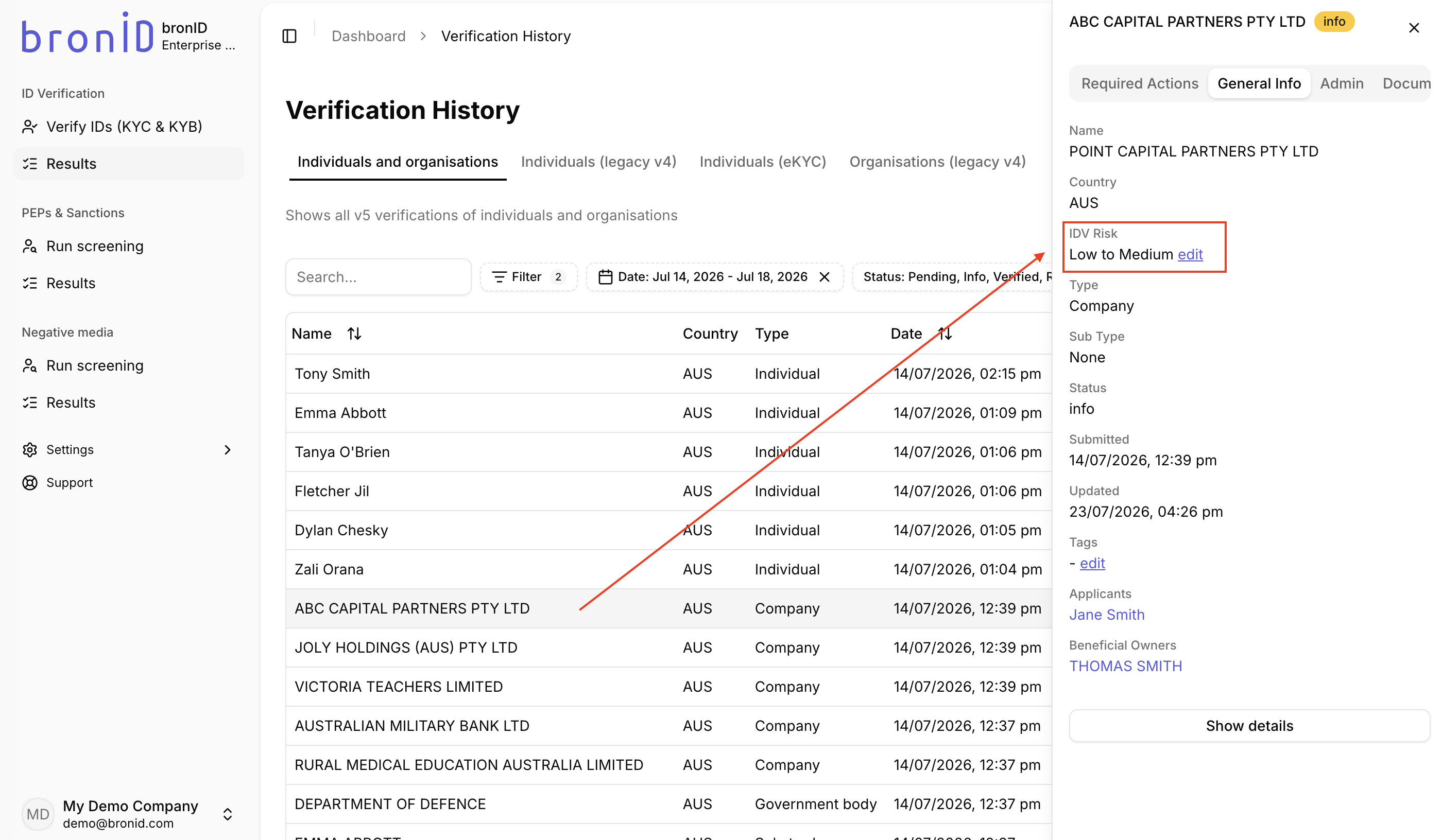
To modify the calculated IDV Risk, follow the steps below:
- Log into your bronID Portal account.
- In the left-hand menu, under ID Verification, go to Results.
- Click on the individual or organisation you wish to adjust.
- In the right-hand slider, open the General Info tab.
- Find the IDV Risk field and click edit.
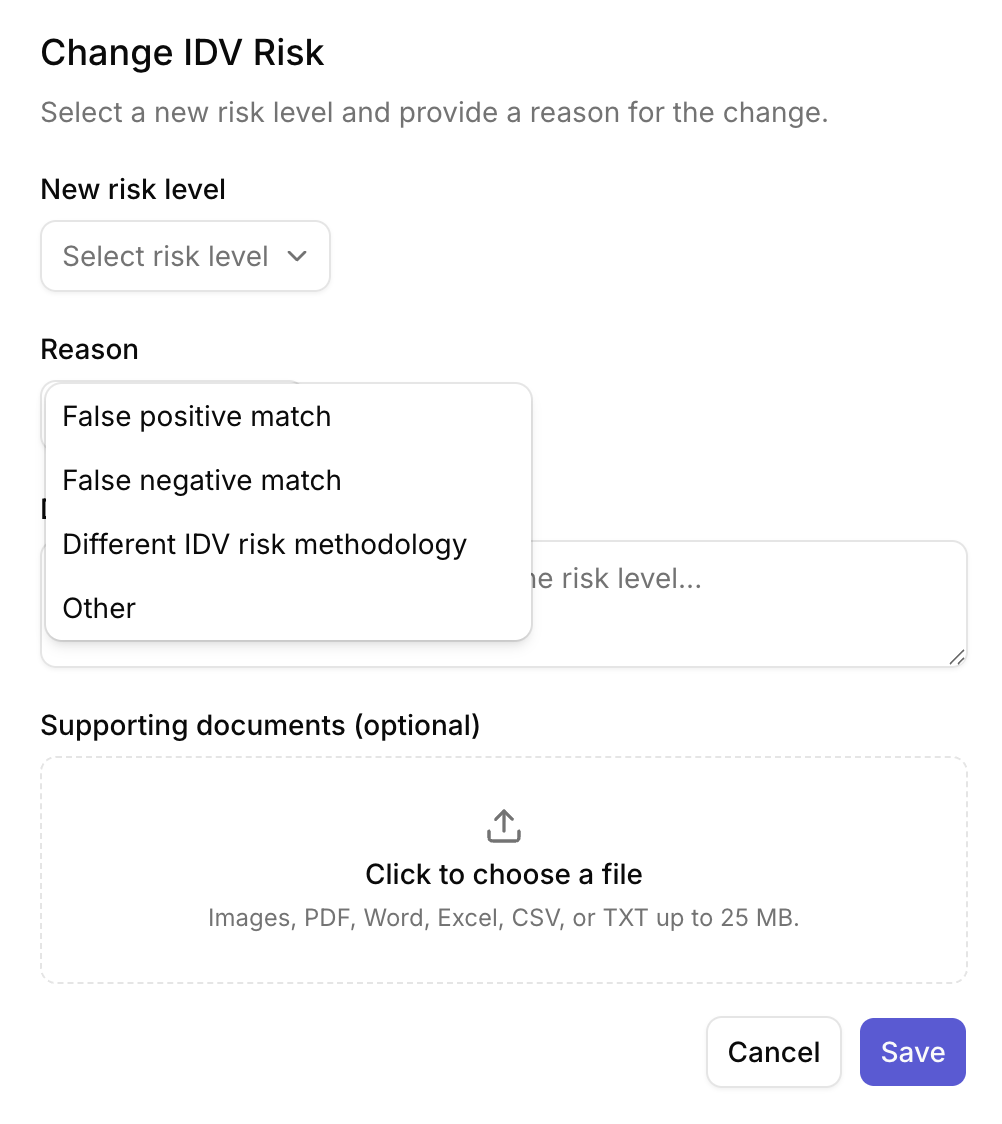
- In the Change IDV Risk pop-up box, select a new risk level and provide a reason for the change:
- New risk level: Select the new IDV Risk value from the drop-down menu.
- Reason: Select the reason for the alteration from the drop-down menu: False positive match, False negative match, Different IDV risk methodology, or Other.
- Description: Provide a description explaining the change to the risk level.
- Supporting documents (optional): Upload any supporting documentation (Images, PDF, Word, Excel, CSV, or TXT up to 25 MB).
- Click Save.
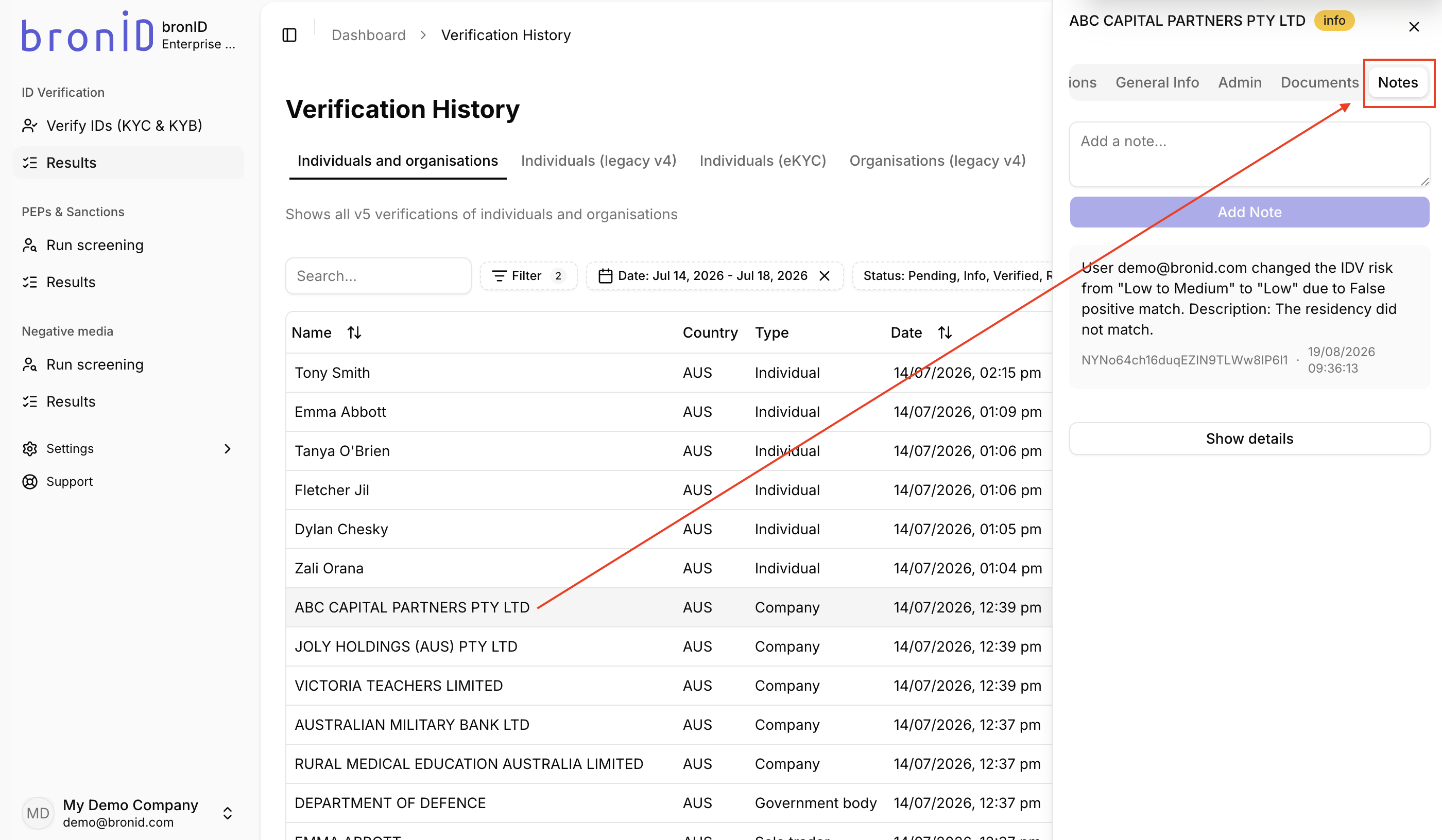
Your IDV Risk adjustment will be saved. Within the Notes tab in the right-hand slider, you will be able to view details about the risk modification, including who made the change and why.
Furthermore, bronID will automatically resend a webhook with the adjusted risk to update your internal system.


